Official Browser Launch
Words of Wonders
Play Words of Wonders online if you enjoy word puzzle levels that mix letter linking, crossword-style boards, and steady vocabulary-based progression.
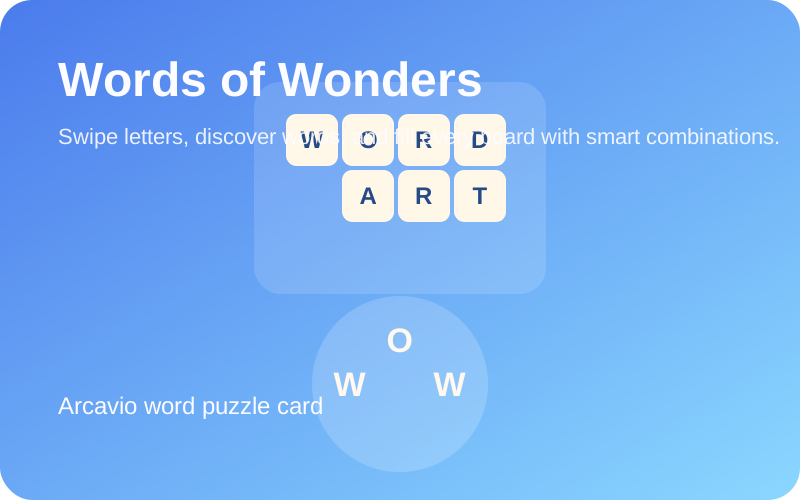
Words of Wonders Online: Word Puzzle Overview
Words of Wonders is a browser word puzzle game built around connecting letters and filling a crossword-style board one answer at a time. The interaction is simple, but the best moments come when one long word unlocks several smaller answers at once.
People who search for Words of Wonders online are usually looking for a quick browser version, an explanation of the letter-linking rules, and a few vocabulary-first tips that help them avoid getting stuck too early. This page is designed to answer that search intent directly.
The game also scales well from short breaks to longer sessions. Early boards are readable in seconds, while later stages ask for more flexible word finding, better use of letter patterns, and more patience when the obvious answer is not enough.
You can also browse the full Brain Games collection for more browser picks in the same topic area.
Words of Wonders Gameplay Snapshot
This summary helps players decide whether Words of Wonders matches the kind of vocabulary puzzle session they want before launching the browser version.
- Genre Focus
- Word puzzle game
- Best For
- Players who enjoy vocabulary, spelling, and crossword-style boards
- Session Style
- Works for both short and extended sessions
- Difficulty
- Easy to read early, deeper on later boards
- Core Skill
- Finding longer words first to reveal smaller answers
- Device Support
- Mobile and desktop browsers
- Launch Mode
- Opens from the verified Famobi browser page
Why Words of Wonders Keeps Players Longer
- Words of Wonders has an easy first interaction, so new players can understand the puzzle loop quickly without a long tutorial.
- The crossword-style board gives each answer visible context, which makes progress feel clearer than in many purely open-ended word games.
- Because the session length is flexible, Words of Wonders works for both a quick vocabulary break and a longer puzzle session where players want to clear several boards in a row.
Words of Wonders Controls
- Use the mouse or touch input to drag across the available letters.
- Connect letters in sequence to build a valid word from the current puzzle set.
- Release the swipe path to submit the word and fill matching spaces on the board.
- Watch the crossword layout for newly revealed letters that can guide your next answer.
How to Play Words of Wonders Online
- Start by scanning the letters and looking for the longest obvious word instead of guessing several short ones.
- Fill the crossword-style board by forming valid words from the letter wheel at the bottom.
- Use any newly opened letters on the board as clues for the missing answers around them.
- Clear every required answer on the current board to move on to the next level.
Words of Wonders Tips and Strategy
The fastest way to improve in Words of Wonders is to stop hunting random short words first and start looking for the longest safe answer on the board.
- Look for longer words first because they often expose multiple smaller answers at the same time.
- If the obvious solution fails, try unusual letter orders before assuming you missed a letter.
- Pay attention to common suffixes and prefixes because they help you solve several boards faster.
- When the board opens a new letter in one position, use that anchor to test every likely word family around it.
Play Words of Wonders Online: Browser Access and Device Support
Words of Wonders currently starts from a verified Famobi browser page. Use the access notes below to confirm device support and launch expectations before you begin.
- Provider
- Famobi
- Access
- Starts from a verified Famobi browser page
- Account
- No Arcavio account required
- Devices
- Phone, tablet, and desktop browser support
- Best Use
- Relaxed word-puzzle sessions with room for longer play
- Source
- Verified source page
More Games Like This
More in Brain Games
Words of Wonders FAQ
Can I play Words of Wonders on mobile?
Yes. The browser version works on phones and tablets as well as desktop, which makes it a strong mobile word puzzle option.
Is Words of Wonders better for short sessions or long sessions?
It works for both. Early boards are quick to clear, but the game is also easy to stay with for longer sessions once the puzzles become more demanding.
Is Words of Wonders good for beginners?
Yes. The early boards are approachable, and the core swipe mechanic is easy to understand even if the later vocabulary challenges become more demanding.
What is the best way to start a Words of Wonders board?
The most reliable start is to search for the longest answer first. That usually fills several spaces and gives you better information for every remaining word.